N8N Onboarding Workflow
1. Prerequisites
To run this workflow successfully, ensure you have the following ready:
Required Access
- Provided n8n Account
- Instance URL
- Login credentials
2. Workflow Overview
2.1 Purpose
The objective of this workflow is to automate the employee onboarding process by analyzing a submitted CV using an AI agent.
The AI extracts key information from the CV, including Name, Start Date, and assigns the appropriate Team and Manager based on the candidate’s job position, experience and seniority, then submits the information for human validation via Google Chat. If onboarding is approved, the workflow automatically:
- Creates an IT ticket for equipment and access preparation
- Generates internal communication (Google Chat announcement)
- Schedules a meeting with the manager
This automation ensures accuracy, reduces manual coordination, and accelerates the onboarding process.
2.2 Workflow Design
The screenshot below represents the actual workflow implementation in n8n, highlighting the sequence of nodes and integrations used to achieve a fully automated and validated onboarding process
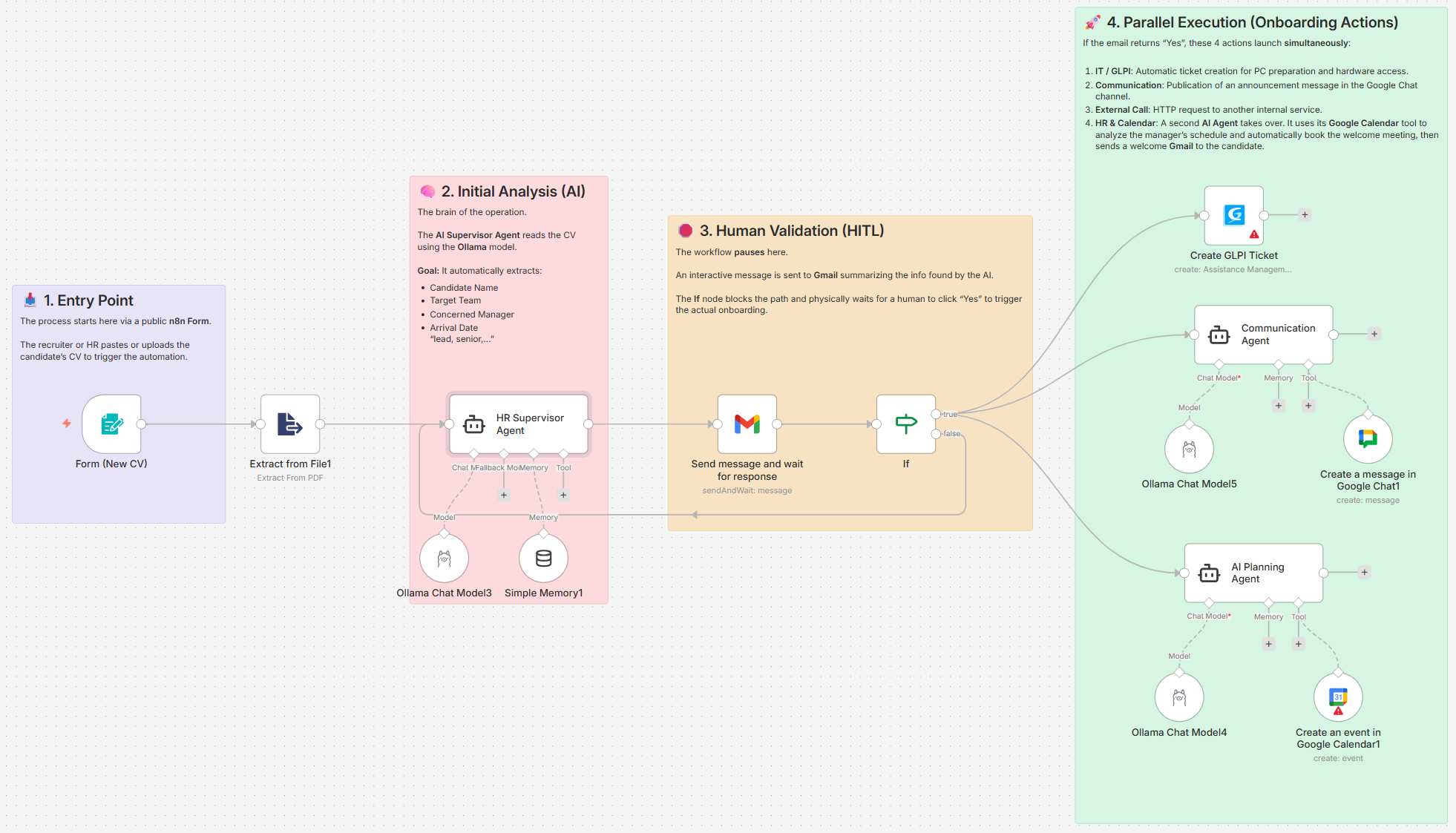
Architecture
The workflow is divided into 3 Parts
- Data Extraction
- AI Agent & Validation
- Executions & Notifications
3. Workflow Creation
This section covers the initial setup of the automation, focusing on creating and naming a dedicated workspace within n8n
3.1 Create a new workflow
Objective : Create a new empty workflow in n8n
Steps
- Open your n8n instance and log in
- Click Create Workflow
- Rename the workflow to Onboarding Workflow
